
Client Portal Development for Files, Approvals and Status
Give clients a defined place to submit documents, review work and track the next step. We scope custom portals around customer permissions, staff review and the systems your team already uses.
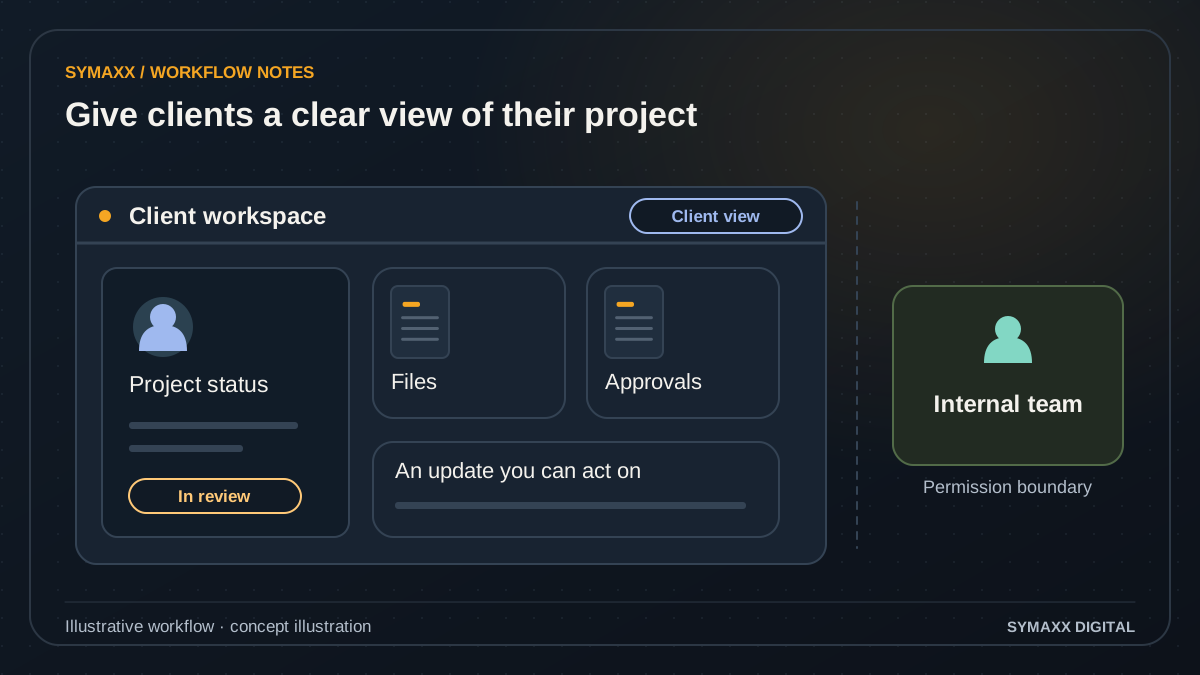
Illustrative workflow · conceptual design
- Give clients a project view
- Share files and approvals
- Control access by role
When clients need more than another email thread
For South African service businesses that exchange files, request approvals and answer repeated status questions. The portal should make the next action clear for both the client and the delivery team.
Collect the right documents
Show the files required for a specific case or project, with a clear submission state. A replacement file should not silently overwrite an approved version. Staff need a way to request a correction and explain what is missing.
Record a deliberate approval
Let an authorised client review an identified deliverable or version before choosing an action. Capture what they approved and when. A portal approval is not automatically a legally binding signature service; that would need a separate assessment.
Explain progress and blockers
Publish agreed client-facing statuses such as awaiting documents or ready for review. Keep internal notes and tentative dates separate. Show who owns the next step so a status screen does not become another place clients must chase for answers.
A client portal workflow from invitation to completion
Start with one customer journey and a limited set of record types. Map what the customer sees to what staff actually need to complete the work.
Invite the right person
Associate the invitation with the intended client organisation and role. Define who can invite colleagues and who can approve their access. Test expired invitations, staff mistakes and a person belonging to more than one organisation.
Show the relevant workspace
Display only the projects, cases or documents the signed-in person is permitted to access. Agree whether different client roles can submit, view or approve. Access checks need to cover direct file and record requests as well as navigation.
Collect and review submissions
Record the submitted version, owner and time. Check file type and size against the agreed limits, and show the review state. Unsupported or rejected files need an understandable reason and a route to submit a correction.
Request a specific decision
Present the named version, review instructions and available actions. A client may approve, reject or request a revision under the agreed process. If the deliverable changes, define whether the earlier approval remains valid or a new review is required.
Update status and close access
Show the confirmed next stage after the authorised action succeeds. Failed integrations should not appear as completed work. At closure, apply the agreed archive, export and access-revocation process, including former client staff.
Illustrative workflow — not a client result
A client reviews a revised project brief
In this fictional example, an agency uploads version two of a brief to the client's project. The nominated reviewer sees the revision note and can approve that specific version or request changes. Another client organisation cannot see the project or its attachments.
An approval records the reviewer and version; staff receive the next task only after the action succeeds. If a third version is uploaded, the interface makes its review status explicit. This illustrates a proposed workflow, not a live Symaxx product or customer result.
Permission-controlled files and approvals
Portal requirements should include negative cases: the wrong customer, a revoked user, an old link and an unapproved version. These are part of acceptance testing.
Organisation and role boundaries
Specify which people can access each project, file and action. Test cross-client access and staff overrides. Exports, notifications and search results must follow the same boundaries as the main workspace; hiding a menu item is insufficient.
File handling and retention
Agree storage, download access, version history, retention and deletion requirements. Define upload limits and any malware-screening requirement during scoping. Sensitive files should not become public assets merely because a portal uses a public website domain.
Traceable decisions
Keep the decision, record version and authorised reviewer linked. Explain how mistaken approvals and changes are corrected. Record the events required for the agreed audit purpose without collecting unnecessary personal data or exposing internal comments.
Connect the portal to the existing workflow
A portal should not create a competing version of every customer record. Decide where each field is maintained and what the portal is allowed to display or change.
CRM and project systems
A supported connection may read a case status or create a review task. Verify the product edition, API, permissions and identifiers first. Define what happens when a project is deleted, moved or renamed in the source system.
Email and notifications
Notifications can alert users to a required action without exposing confidential details in the message. Provider access, delivery limits and recipient preferences need assessment. A sent notification is not proof that the client received or approved the request.
Identity and hosting choices
Evaluate sign-in, organisational access, storage and hosting against the client requirements. Single sign-on and particular residency constraints are separately scoped. We do not promise certification, uptime or a security outcome from the technology choice alone.
Use an existing portal or commission a custom one?
Many CRMs and project platforms already offer client-facing features. Compare those with the actual customer journey before taking on a new application.
Use your current platform
Suitable when its client area supports the required records, permissions and approval process. Check the user experience on mobile and the costs of external seats. Configuration may be enough to remove the repeated email handoffs.
Connect a specialist tool
A document-sharing or approval tool can solve a narrow problem without a full portal. Verify version handling, export options and role boundaries. Consider whether customers would need several separate accounts to complete one task.
Build a focused client portal
Useful when the journey spans systems or needs a data and permission model the existing tools cannot support. Start with files, one approval flow and clear status. Add billing, scheduling or messaging only when the scope justifies them.
Deliver a portal people can operate
The first release should be tested with both client and staff tasks. A polished screen is not enough if nobody owns the next step after a document is submitted.
Prototype the whole journey
Map invitation, submission, review, correction and closure. Test the wording with representative users. Agree what happens when someone uploads the wrong file, cannot sign in or needs a colleague to take over.
Verify access and actions
Use test organisations and roles to check permitted and forbidden access. Exercise old links, revoked accounts, duplicate submissions and changed deliverable versions. Confirm that the staff workflow receives the correct task and record.
Prepare the handover
Document user administration, support ownership, backups and recovery expectations. Agree code ownership, provider costs and the process for future changes. Roll out to a limited group before inviting the wider client base.
Your project and pricing
Plan your client portal development project
Portal pricing depends on user roles, file handling, approval stages, integrations and ongoing support. We quote a defined first journey and separate build costs from hosting, storage and provider usage. No standard figure fits every access model.
- One client journey with a clear staff handoff
- File, role and approval requirements documented
- Mobile and access-boundary acceptance checks
From the Blog
Client Portal Development guides
Practical questions to consider before starting a project.
When should a business build custom software instead of buying another SaaS tool?
How do we build a client portal where customers can correct details without overwriting verified records?
Can a South African SaaS founder copy a Stripe billing tutorial directly?
Start your project
Tell us where work gets stuck, which systems are involved, and who approves the result. We can then plan a useful first step together.
No contracts. No obligation. Just a strategic conversation.
Client Portal Development FAQs
Scope, integration and handover questions.
What is a custom client portal?
It is a signed-in customer workspace designed around a particular service journey. It may support document submission, review, approvals and status. This page offers development of a portal for your business; it is not a login page for an existing portal or a ready-made software subscription.
How do you keep one client's files separate from another's?
The application needs an explicit organisation and permission model, with checks on every relevant record and file action. Acceptance tests should include direct links, search, downloads and revoked users. We scope and verify these controls; we do not describe a portal as secure solely because it has a login screen.
Can clients approve documents in the portal?
Yes, an approval flow can be scoped around a specific record version and authorised reviewer. Define how revisions, mistaken approvals and delegated review work. If you need a particular electronic-signature service or legally prescribed signing process, that requires separate product and legal assessment.
Can the portal connect to our current CRM?
Potentially, where its supported API and your product edition provide the required operations. We verify record identifiers, permissions and update behaviour first. A read-only status connection is different from allowing customer edits. Custom CRM development is a separate option when the internal system also needs rebuilding.
Will it work on a phone?
Mobile use should be part of the agreed acceptance checks, including uploading files, reading a revision and approving the correct version. Test representative devices and connection conditions. Long tables and large files may need alternative presentation rather than simply shrinking the desktop screen.
Can clients pay invoices through the portal?
Payment functionality is a separate integration and approval scope. The initial service described here covers files, approvals and status. If payments are needed, provider support, reconciliation, refunds and access responsibilities require their own requirements. A portal approval does not itself authorise a payment.
Should we build a portal if our existing software has one?
Try the existing feature against your real customer journey first. Check permissions, file versions, external-user pricing and exports. Custom development is more appropriate when important requirements remain unmet and the operating cost is justified. A configured existing portal may be the better first step.
What do you need to scope the first version?
Bring a sample client journey, the staff review steps, user roles, file types and the systems holding current records. Identify what clients should never see. Use redacted examples and avoid sending confidential documents through the public form. We will agree how requirements and samples are reviewed.