
Custom CRM Development Around Your Sales Process
Build a CRM for the customer relationships, sales stages and team permissions your business actually needs. For South African teams whose process has outgrown a standard CRM setup.
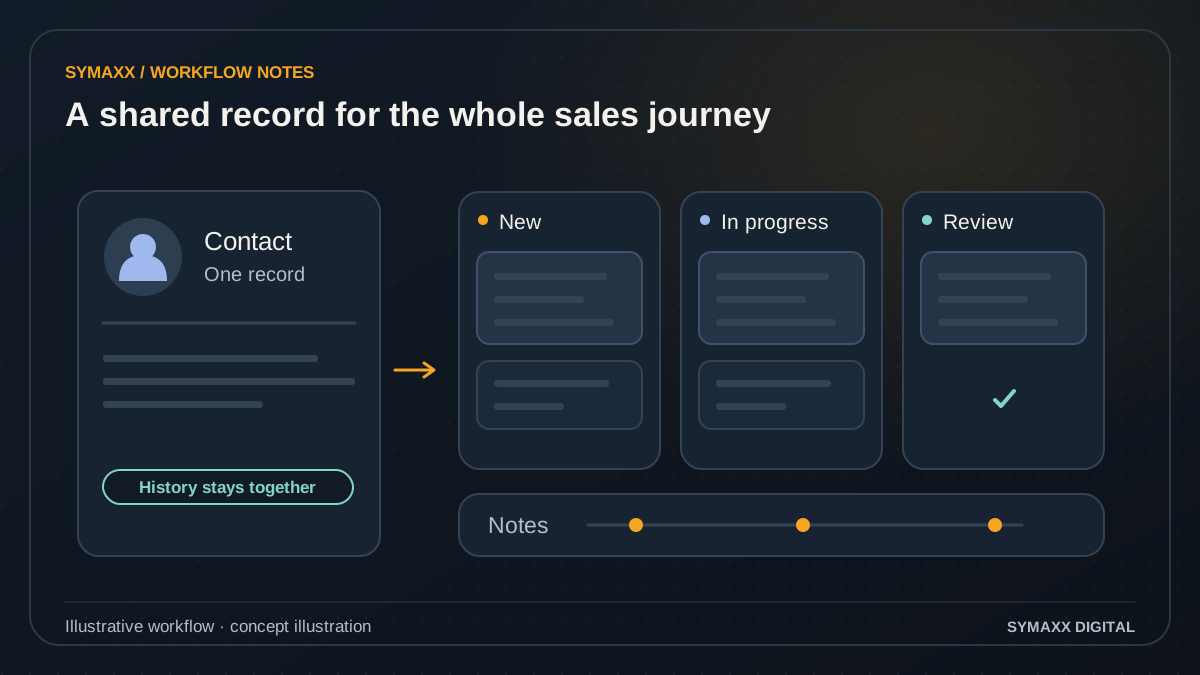
Illustrative workflow · conceptual design
- Keep a shared contact record
- Track your sales stages
- Preserve notes and history
When a new CRM is worth considering
A custom CRM is a software product your business must own and operate. Start by proving where configuration or integration of an existing system falls short.
Relationships beyond a contact list
A company may have several sites, buying teams, service contracts and related opportunities. Model those relationships explicitly when a flat contact list causes staff to duplicate information or lose the context needed to serve the customer.
Stages with real operating rules
Your sales process may require document review, a site assessment or internal approval before a quote is prepared. Define the prerequisites, owners and allowed transitions instead of relying on notes that every salesperson interprets differently.
Permissions that match the team
Branches, account managers and service staff may need different access to the same customer. Scope who can view, edit, export and approve each record type, including temporary access and what happens when a person changes roles.
Build a CRM from enquiry to service handover
The first release should support a complete, limited customer journey. A coherent flow is easier to validate than a long list of disconnected features.
Define customer and account records
Agree the entities, identifiers and relationships first: people, organisations, sites, enquiries, opportunities and activities. Identify the system of record for each field. Distinguish a customer relationship from a mailing-list subscription or one-off enquiry.
Capture and qualify opportunities
Collect the information needed for a specific sales stage. Show missing details and possible duplicates. Qualification rules should explain why a record is ready for action and allow a person to correct the assessment.
Manage tasks and approvals
Assign the next action to an owner, with a due date and an escalation route. Record who approved a discount, changed a stage or requested a document. A task reminder does not itself approve the underlying decision.
Hand over the agreed work
When a sale is confirmed, prepare a reviewed handover with the approved scope and relevant files. Integrations can create a downstream project or draft record only where the target system and permissions support it.
Report from defined measures
Agree what counts as an open opportunity, won sale or overdue task. Keep source records accessible to authorised users so totals can be checked. A dashboard should not quietly change its definitions between teams or reporting periods.
Illustrative workflow — not a client result
A service business tracks several sites per customer
In this fictional example, one customer has three locations and two account contacts. Each site has a separate assessment and quote, while the company record holds the relationship history. Staff can find the active opportunity without creating a new customer every time.
A manager approves the revised quote before the handover becomes available to the delivery team. The example demonstrates a possible data model and approval flow. It is not a customer case study, completed implementation or measured performance result.
Access, history and migration need deliberate design
The CRM may become an important record of customer commitments. Its controls and recovery requirements belong in the initial scope, not a later promise.
Test role boundaries
Document a permissions matrix and test it with representative roles and organisations. Include direct record access, attachments, exports and search results. Hiding a button is not enough to establish that a restricted action is blocked.
Keep changes understandable
Define which actions need an audit record and what context reviewers need. Corrections should remain distinguishable from original values where required. Retention and access to history need the same attention as ordinary customer records.
Plan a reversible migration
Map source fields, resolve duplicates and run trial imports against a copy or test environment. Compare counts and sampled records before cutover. Agree backups, rollback conditions and who can authorise the transition from the old system.
Connect only the systems the CRM needs
Integration scope depends on the exact accounting, email, calendar and operations products you use. We verify available APIs, access and field mappings before committing to a connection.
An owned application stack
Next.js and TypeScript are options for the application, with a database model suited to the records and relationships. Technology selection follows the access, hosting and maintenance requirements; naming a framework is not proof of reliability.
Explicit ownership of records
Decide whether an account name, invoice status or appointment time is maintained in the CRM or an external system. Define which side may update it. Conflicting edits and delayed synchronisation need a resolution rule.
Operating limits and support
Check API quotas, product editions, attachment limits and authentication renewal. Document failed imports and retries. The proposal should separate development, hosting, provider licences and maintenance, with agreed support and recovery expectations.
Configure, extend or commission a custom CRM?
Custom development is justified by a specific gap, not by a desire to replace every subscription. Compare the full operating cost and the responsibilities of each option.
Buy and configure
A packaged CRM can be the right fit when standard pipelines, permissions and reporting meet your requirements. Check what is available in your subscription before commissioning software. Training and cleaner data may solve the immediate problem.
Automate the existing CRM
If the records and stages work but staff repeatedly move data between systems, a targeted integration may be enough. Our CRM automation service focuses on capture, qualification, routing and follow-up within an existing CRM.
Build a focused CRM
Consider a new system where essential relationships or approval rules cannot be represented adequately. Budget for discovery, migration, testing and ongoing ownership. Start with one team or workflow rather than replacing every department at once.
Agree the first release before writing the whole system
A useful specification connects each screen and field to a task that a named user needs to complete. Acceptance is based on those tasks, not a feature count.
Map and prototype
Review the current workflow and a redacted sample of records. Produce the data model, role matrix and a prototype for the first journey. Ask the people who will operate it to find missing steps.
Build and test in slices
Implement the scoped journey and demonstrate it with representative records. Check duplicate handling, permissions, incomplete data and integration failures. Agree how scope changes affect cost and delivery before adding new requirements.
Rehearse and hand over
Test migration, recovery and staff access before the agreed cutover. Document deployment, backups, support ownership and exports. Code ownership and third-party licence terms should be explicit in the contract, with the handover materials listed.
Your project and pricing
Plan your custom crm development project
A custom CRM quote depends on the record model, roles, migration, integrations and first-release scope. We separate implementation from hosting, provider licences and ongoing support. Do not treat a starting price as a commitment to every feature.
- A defined first customer journey and role matrix
- Migration and integration requirements assessed
- Ownership, support and handover agreed in writing
From the Blog
Custom CRM Development guides
Practical questions to consider before starting a project.
When should a business build custom software instead of buying another SaaS tool?
Should a custom CRM store a person separately from the companies they represent?
How do we migrate a spreadsheet CRM without losing notes, owners and deal history?
Start your project
Tell us where work gets stuck, which systems are involved, and who approves the result. We can then plan a useful first step together.
No contracts. No obligation. Just a strategic conversation.
Custom CRM Development FAQs
Scope, integration and handover questions.
How is CRM development different from CRM automation?
Development creates the application, records, screens and permission model. CRM automation connects or configures actions around a system you already use. If the existing CRM fits your process, adding a limited workflow may be more practical than migrating to a new application.
Should we build a custom CRM or use HubSpot, Zoho or Salesforce?
Compare the exact requirements with the capabilities and total cost of the relevant product editions. Include implementation, training, integrations and support. Custom development makes sense when a significant gap remains and you can fund ongoing ownership. We do not assume that custom software is always cheaper.
Can you migrate our existing customer records?
Migration can be scoped after inspecting the available exports, field definitions and data quality. We plan mapping, duplicate review, trial imports and reconciliation. Some history or attachments may not be exportable through your current product. Those limits need confirmation before a cutover date is agreed.
Can different branches have different access?
Yes, branch and role boundaries can be requirements of the build. They need a clear model for shared customers, staff transfers and management access. We test the agreed rules across records, files, search and exports. Access control is verified against the scope; it is not a blanket security guarantee.
Will the CRM connect to accounting and email?
Potential connections are assessed against supported APIs, your account permissions and the exact operations needed. Read-only status, draft creation and outbound sending are different scopes. A confirmed integration needs error handling and ownership of conflicting records, not just a product logo on a proposal.
Do we own the source code?
Ownership, repository access, payment conditions and handover should be stated in the agreement. Third-party packages and services retain their own licence terms. Hosting, email delivery and other provider usage can still have recurring costs. We do not describe custom software as free of all licences or dependencies.
How long will it take and how much will it cost?
That depends on the first release, data migration, roles and integration limits. We estimate after discovery and separate must-have functions from later work. Review the pricing overview as background, then request a proposal with deliverables, assumptions, exclusions and acceptance checks.
Can customers use the CRM as a portal?
A customer-facing portal needs separate journeys and access boundaries. It should expose only approved information, with deliberate handling of files, status and approvals. A client portal can connect to the CRM, but opening internal staff screens to customers is not the default approach.